Slow down music without changing pitch
Last updated:
RepeatLab changes the tempo of a song without changing its pitch. A fast passage plays slower so you can hear and play every note, and it stays in the original key so you can play along on your own instrument.
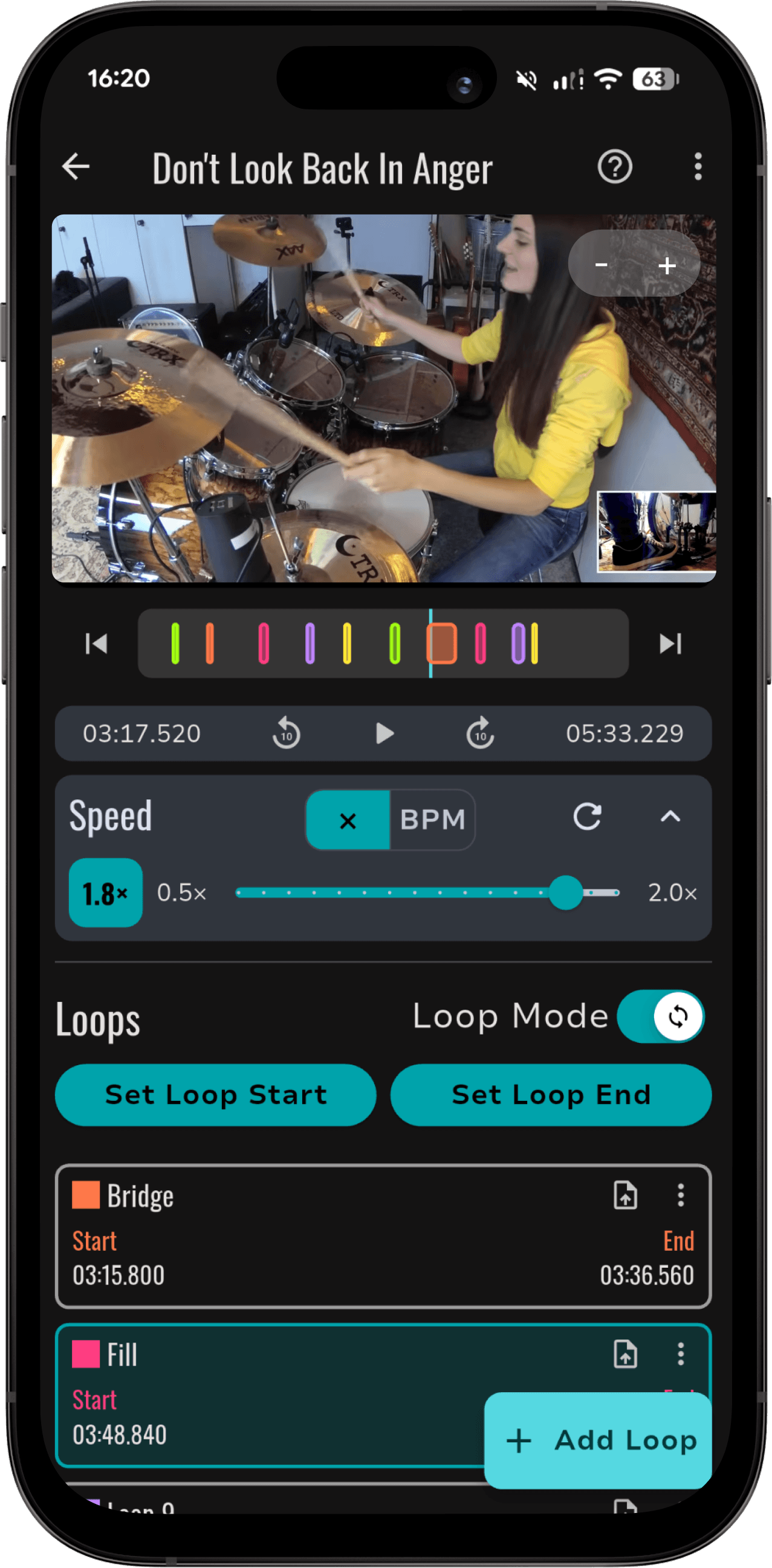
What it does
- Speed from 0.5× (half speed) to 2.0× (double speed) in 0.1 steps. The tempo changes and the pitch stays true.
- BPM mode: set an exact tempo of up to 400 BPM instead of a multiplier.
- Tap tempo: tap along to detect a song’s BPM.
- Works with your own audio files (MP3, WAV, OGG, FLAC, M4A, AAC) and videos (MP4, MOV, M4V, MKV, WEBM, AVI).
- Combines with A-B loops, so a slowed-down section repeats until you have it.
Speed and BPM control are part of RepeatLab Pro. To change the key instead of the speed, Pro also includes pitch shifting of up to 12 semitones (currently in beta).
How to use it in RepeatLab
- Import a song or video from your device.
- Mark the start and end of the section you want to practice to create an A-B loop. Fine-tune it to the millisecond by typing exact times or dragging the waveform.
- Lower the speed, either as a multiplier (for example 0.7×) or as an exact BPM.
- Practice along with the loop, then raise the speed in 0.1 steps until you can play it at full tempo.
Who it is for
Musicians who learn songs from recordings: working out a fast solo or fill, learning a part by ear, or practicing along to a track at a tempo they can manage. RepeatLab works fully offline, with no account and no ads, and keeps playing in the background with lock-screen controls.
Limits
RepeatLab plays your own audio and video files. It cannot import music from Spotify or Apple Music.